
Yapsody YapTickets
Yapsody, LLCEvents
3.04.00 Reviews
- Version
- 3.5.13
- Installs
- 10.00K
- Age Rating
- Everyone
Screenshots
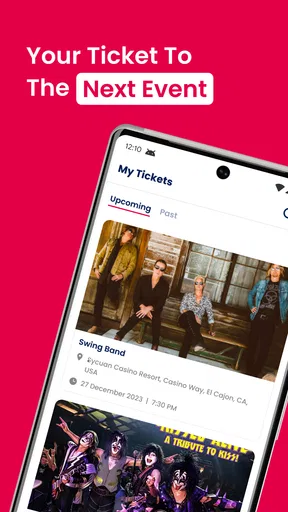
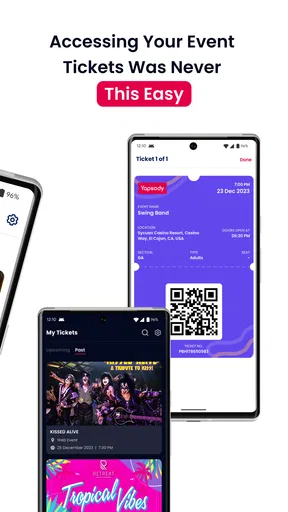
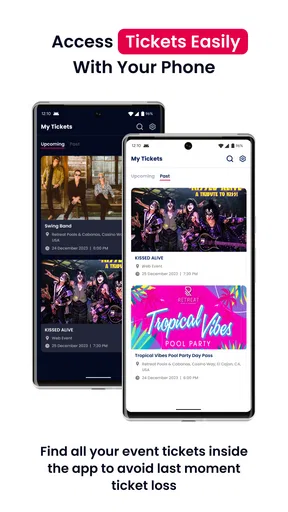
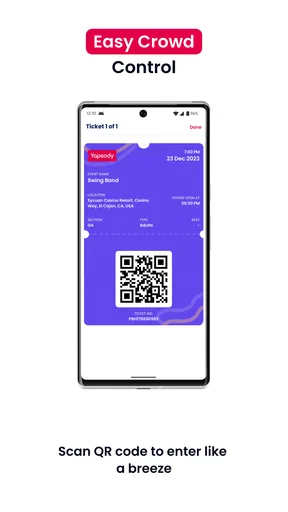
Our Review of Yapsody YapTickets
 Analysis by Appyee
When I want to keep an event ticket ready on my phone, I usually care about one thing first: can I find it quickly and pass it to the right person without turning the process into a small project? That is the question I kept coming back to while using YapTickets, a free events app from Yapsody, LLC. Its central idea is straightforward: keep access to tickets in one place and make sharing them feel immediate.
That focus is both the app’s appeal and its limitation. YapTickets is not trying to be a broad event-discovery service or a full replacement for every ticketing platform. It is more useful as a practical companion for tickets that have already been issued through the Yapsody ecosystem. If your main problem is locating a ticket or getting it into another person’s hands, the app has a clear purpose. If you want to browse concerts, compare venues, or manage a large collection of unrelated bookings, I would look elsewhere.
Instant ticket access is the whole experience
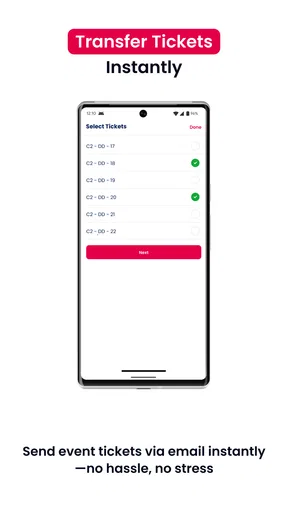
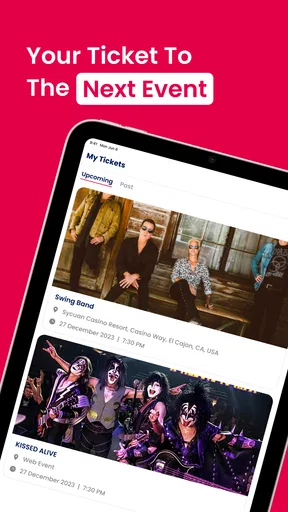
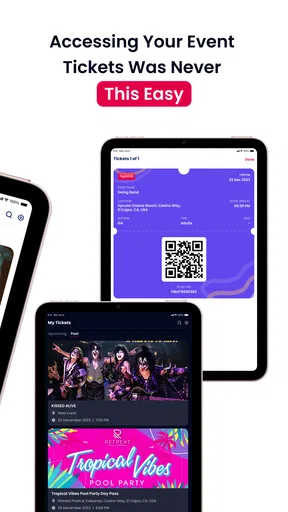
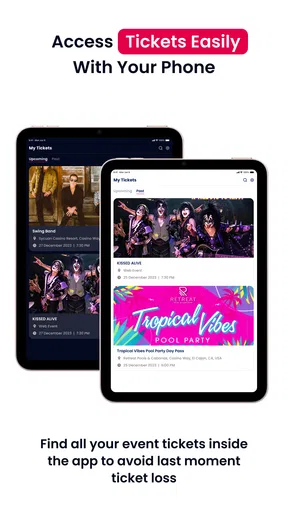
The most important capability here is the ability to access and share tickets from a mobile device. In everyday use, that changes the final part of an event purchase. Instead of searching through an email thread, opening a browser, or forwarding a message while standing outside a venue, I can treat the phone as the place where the ticket should be ready.
That sounds modest, but it matters when timing is tight. A ticket is not very useful if I know it exists but cannot bring it up when a friend is waiting at the entrance. The app’s value comes from reducing that last-minute friction. Its store summary emphasizes instant transfer, and that is the right way to understand the product: it is centered on moving access from the original holder to another person with as little delay as possible.
There is also a useful distinction between sharing information and transferring responsibility. Sending a screenshot may show a code, but it can leave questions about whether the image will scan, whether the recipient has the latest version, or whether both people might try to use the same ticket. A dedicated ticket-sharing workflow is more appropriate when the recipient, rather than the original buyer, is the person attending.
The practical strength is not discovering an event; it is making an existing ticket easier to use at the moment it matters. That makes the app especially relevant for group plans, gifts, family outings, and situations where the buyer will not enter the venue with everyone else.
What using it feels like before an event
I would approach YapTickets as a preparation tool rather than something to open casually throughout the day. Once a ticket is available, the sensible habit is to check it before leaving home, confirm that it appears correctly, and decide whether another attendee needs it transferred. Doing that early is more reliable than waiting until the queue has formed.
A useful workflow is to separate three moments: receiving access, checking the ticket, and sharing it. Treating them as separate steps helps avoid the common mistake of assuming that a ticket is ready for someone else simply because it is visible on the buyer’s phone. If I am giving a ticket to a friend, I would complete the transfer while I still have a stable connection and then ask the recipient to open it before we travel.
This is one of the less obvious benefits of a focused ticket app: it encourages ownership to be handled before arrival. For a group event, I can decide who should hold each ticket instead of acting as the unofficial ticket desk at the entrance. That is a small change, but it can make the meeting point much less chaotic.
I would also keep the app installed and signed in well before the event rather than downloading it in the parking lot. The minimum operating system is Android 7.0, so it supports a wide range of Android phones, but compatibility alone does not guarantee a smooth entrance experience. Battery level, connectivity, account access, and the recipient’s ability to open the ticket still matter.
A realistic group-event example
Imagine that I buy tickets for a small local performance and three friends are joining me. The original buyer is often treated as the person responsible for everyone, even when the group arrives separately. With YapTickets, the useful approach is to distribute the tickets before the day of the event, giving each attendee a clear way to access their own entry.
That workflow is better than sending four screenshots in a group chat. A chat message can get buried beneath unrelated replies, and a screenshot does not communicate much about who is expected to use which ticket. Sharing through an app designed around ticket access gives the process a more deliberate structure. I would still verify with each friend that the ticket is visible, because a transfer is only helpful if the recipient knows where to find it.
The same scenario works for a parent arranging an outing for teenagers, a colleague distributing tickets for a team activity, or someone giving away a ticket after plans change. In each case, the important outcome is not a richer event catalog. It is reducing dependence on one person’s phone.
There is a second practical advantage: if the buyer cannot attend, the people who are going do not need to coordinate around the buyer at the entrance. That is where instant sharing has a real effect. It turns ticket access from a personal possession into something that can be handed to the actual attendee ahead of time.
Where the app fits beside common alternatives
The usual alternatives are email, a mobile browser, screenshots, or the original ticketing website. Email is convenient for finding a purchase confirmation, but it is not always the fastest route when a venue queue is moving. A browser can work well, yet it may require repeated sign-ins or navigating through pages that were designed for purchasing rather than quick entry.
Screenshots are fast but fragile. They can be cropped, misplaced, or sent to the wrong person, and they do not provide the same sense of controlled handoff as a ticket-specific transfer. Messaging apps are excellent for coordinating people, but they are not necessarily the best place to manage the ticket itself. YapTickets occupies the narrow space between those options: it is more focused than email and more purposeful than a screenshot.
That comparison also shows when another option may be better. If all of my tickets come from several unrelated providers, I may prefer a broader wallet or the individual apps used by those providers. If I am still deciding what event to attend, a discovery platform is more useful. If the organizer only delivers tickets through a different system, installing YapTickets may add another step without solving the real problem.
In other words, the app is strongest when the ticket already belongs to the Yapsody workflow. Its usefulness comes from alignment with that ticket source, not from trying to become a universal organizer for every kind of admission pass.
Small habits that make sharing safer and less stressful
My first recommendation is to transfer early, not at the gate. A few minutes of preparation can expose problems while there is still time to contact the other attendee or return to the original purchase channel. Waiting until the entrance removes most of the room for correction.
Second, I would avoid treating a forwarded image as an equivalent substitute for a proper transfer. When someone else is attending, the cleanest arrangement is for that person to have direct access through the intended ticket workflow. This reduces confusion about which phone should display the ticket and who is responsible for presenting it.
Third, I would ask recipients to open their tickets before meeting the group. This is a particularly useful habit for families and large groups, where one person may assume another person has received everything. A quick confirmation from each attendee prevents the buyer from becoming a bottleneck later.
Finally, I would keep the original purchase details available until everyone is inside. That is not a criticism of YapTickets; it is sensible event preparation. A ticket app can simplify access, but it cannot remove the need for basic backup information when plans, devices, or connectivity do not behave perfectly.
The tradeoff behind a narrow purpose
YapTickets has a modest scope, and I see that as a deliberate tradeoff rather than an automatic flaw. Because the app is centered on ticket access and sharing, it can be easier to understand than a crowded events platform filled with recommendations, promotions, venue pages, and purchasing tools. The downside is that users looking for a complete event-management experience may find it too limited.
The average rating is 3.0 from around seven ratings, with four written reviews, so the public feedback is still small and should not be treated as a definitive verdict. I would interpret that cautiously: there is not enough visible feedback to assume that every phone, event, or transfer situation will feel identical. The app has over 10 thousand installs, which suggests that it has reached a real audience, but popularity at that level does not answer the practical question of whether it matches a particular ticket workflow.
Another tradeoff is dependence on preparation. The promise of instant access is most valuable when the user has already opened the app, confirmed the ticket, and completed any sharing needed. If I ignore the ticket until the last second, the app cannot compensate for a dead battery, an unavailable connection, or a recipient who has not checked their device.
I also would not choose it simply because it is free. Free removes a purchasing barrier, but the better question is whether it reduces enough friction for my event. Someone attending one event with a ticket already stored in a reliable wallet may gain little from adding another app. Someone coordinating several attendees may gain much more.
Who benefits most from YapTickets?
The best match is a person who regularly receives or distributes Yapsody tickets and wants a dedicated mobile place for them. It is particularly useful for the buyer who will not enter with the whole group, the friend who needs a ticket transferred before arrival, or the organizer of a small outing where everyone arrives independently.
It can also suit people who dislike searching through inboxes under pressure. A focused ticket app gives the event-related task its own destination, which is valuable for users who want fewer steps between opening the phone and presenting admission.
I would be more hesitant to recommend it to someone seeking event discovery, resale tools, travel planning, or a single universal wallet for every provider. Those needs call for a broader service. I would also suggest caution for users who rarely attend events and already have a dependable method for storing tickets; the extra app may not justify itself for occasional use.
For families, the decision depends on who controls the tickets. If one adult buys everything but children or other relatives enter separately, the sharing capability has a clear practical benefit. If everyone travels together and enters together, keeping the tickets with one prepared person may be simpler.
Version, accessibility, and everyday expectations
The current version is 3.5.13, and the app is available at no cost with an Everyone content rating. Those details make it approachable for general event use, including households where several people may need access to a ticket. Android support begins at version 7.0, so owners of older supported devices are not automatically excluded.
Still, I would judge the experience by the whole handoff rather than the installation alone. The buyer, recipient, and event entrance all form one chain. If any person in that chain is unsure where the ticket is or whether it has been transferred, the convenience disappears. The best results come from using the app as a shared preparation step, not as a last-second rescue tool.
Yapsody, LLC has kept the product’s identity clear: this is an events app built around access and sharing, not a general-purpose social or entertainment platform. That clarity makes it easier to recommend in the right situation and easier to reject when the need is broader.
My conclusion after using it
I see YapTickets as a practical specialist rather than an all-in-one event companion. Its central capability—getting tickets onto the right phone and making them easier to share—can remove a surprisingly common source of stress. The benefit is most visible when a group separates, when the original buyer cannot attend, or when a ticket must be handed to someone else before the event begins.
My advice is simple: use it when your tickets are part of the Yapsody flow, prepare the transfer before traveling, and have each recipient check access in advance. Skip it if you mainly need event discovery or a universal place for tickets from many unrelated services.
For the right use case, YapTickets earns its place by making ticket ownership less dependent on one person’s phone. That is a narrow promise, but it is a useful one, and the app is at its best when it stays focused on that final, important step between buying admission and actually getting everyone through the door.
Verdict
Strengths of Yapsody YapTickets
- Simple ticket sales management for event organizers.
- Supports branded event pages and customized ticket options.
- Useful tools for tracking sales and attendee information.
- Helps reduce manual check-in with digital ticket validation.
- Suitable for managing multiple events from one platform.
Limitations of Yapsody YapTickets
- Some advanced features may require a paid subscription.
- The interface can feel complex for first-time organizers.
- Customer support response times may vary.
- Performance depends on a reliable internet connection.
- Less useful for users who only need occasional ticket purchases.
Similar Picks in This Category
View All
Easy Quran Mp3 Audio Offline
Muslim Worldapp4.7

Invitation Maker: Cards & RSVP
Greetings Island4.9

StubHub - Live Event Tickets
StubHub4.3

Fever: Events & Tickets
Fever Labs4.7

Epic Freebie Games Radar
Arioch Pds - Apps & Games4.4

Invitation card Maker, Design
Splendid App Maker4.9
Frequently Asked Questions
What is Yapsody YapTickets used for?
Yapsody YapTickets is a mobile ticketing app designed to help users discover events, purchase tickets, and access their bookings from a smartphone. It is connected to the Yapsody event-management ecosystem, so available concerts, performances, classes, or community events depend on the organizers using the platform. Before downloading, check whether the event you want to attend supports YapTickets and whether tickets are delivered digitally.
How do I buy and access tickets in Yapsody YapTickets?
After finding an event, you generally select the available ticket type, complete the checkout process, and receive confirmation through the app or the email associated with your account. Purchased tickets can usually be viewed from your booking or ticket section and presented at the venue as a digital pass. Keep your phone charged and verify event details, entry instructions, and the name on the booking before arrival.
Does Yapsody YapTickets support refunds, cancellations, or ticket transfers?
Refunds, cancellations, exchanges, and ticket transfers are not necessarily controlled directly by the app. They usually depend on the individual event organizer’s policy and the terms shown during checkout. If your plans change, review the confirmation email and event information first, then contact the organizer or Yapsody support through the available channels. Do not assume that every ticket is refundable or transferable.
Is Yapsody YapTickets safe to use for payments and event entry?
YapTickets is intended to provide a convenient digital way to purchase and present event tickets, but users should still follow normal security precautions. Download the app from an official store, use a strong password, and avoid sharing confirmation codes or ticket screenshots publicly. Before paying, confirm the event name, organizer, date, venue, ticket quantity, and total price so you can identify mistakes before completing the transaction.
What should I do if my ticket or event information is missing?
If a ticket does not appear after purchase, first confirm that you are signed in with the same email address or account used during checkout. Check your email’s spam or promotions folders, refresh the app, and review the order confirmation or payment receipt. If the issue continues, contact the event organizer or Yapsody support with your order details. Arriving early at the venue can also help resolve entry problems.
